Create account
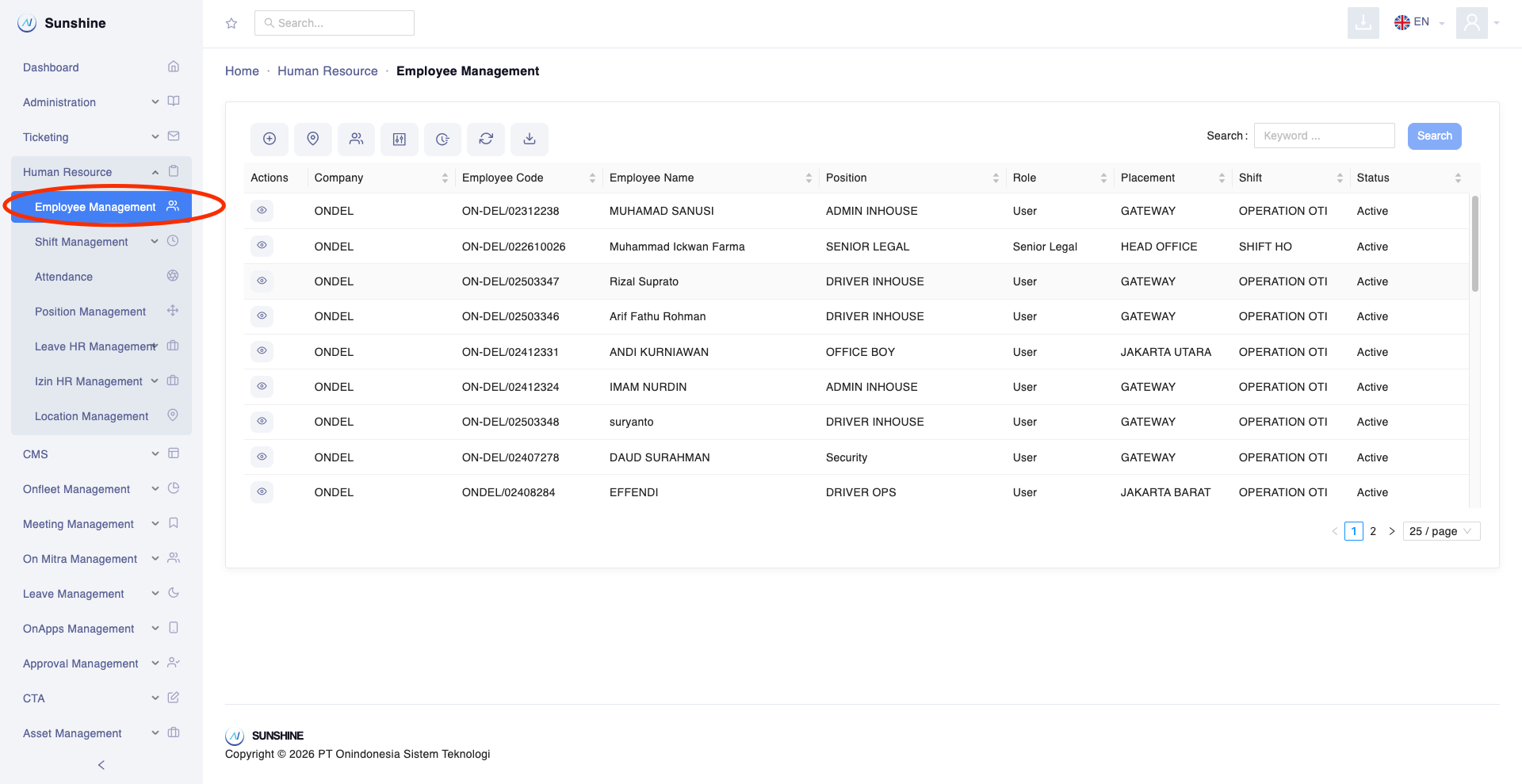
- Untuk membuat akun sunshine, silahkan ke menu sidebar sebelah kiri, Klik Human Resources > Employee Management
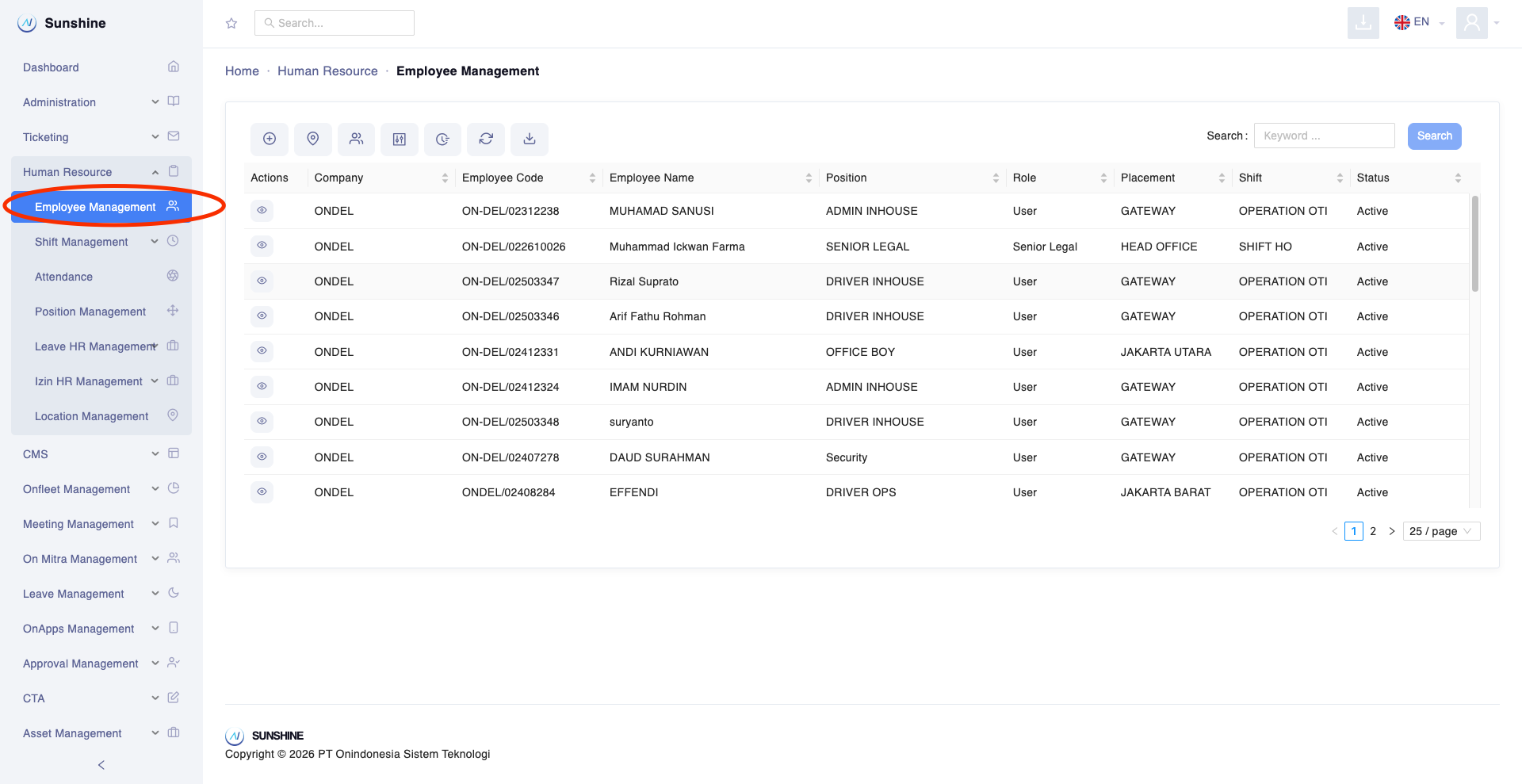
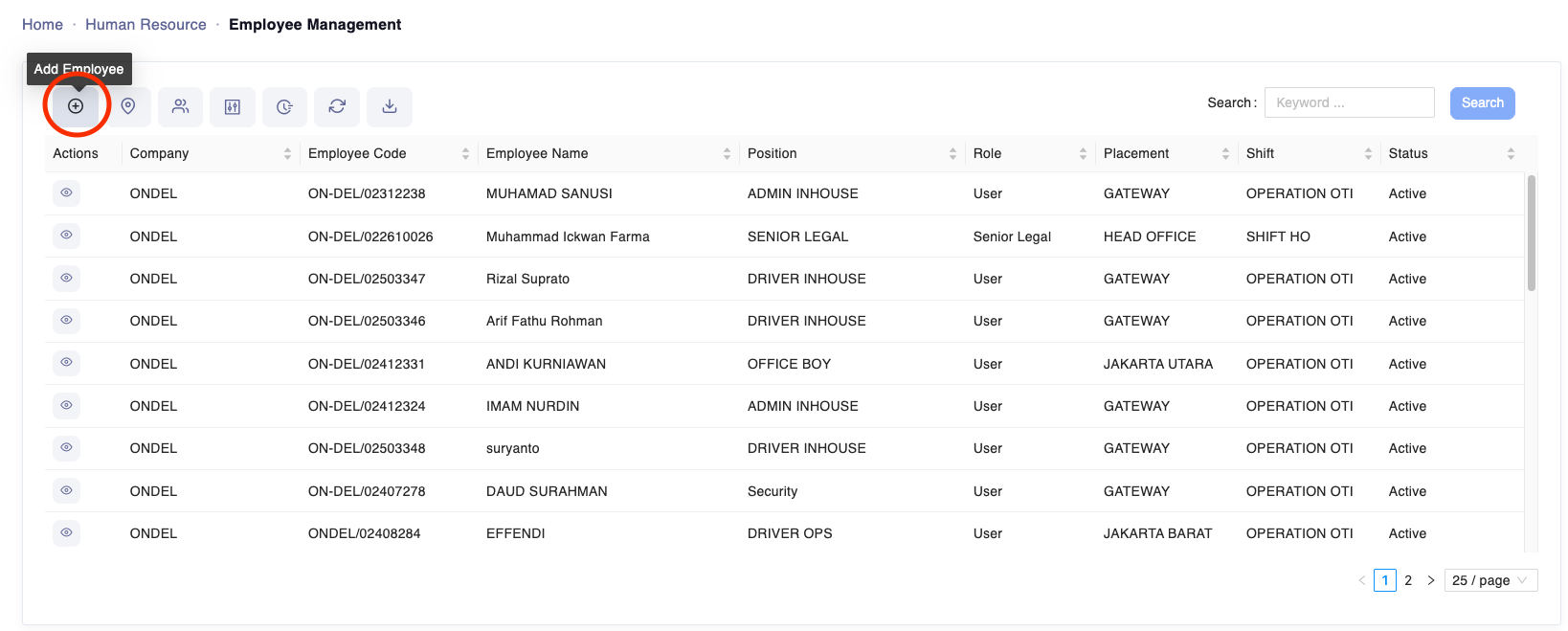
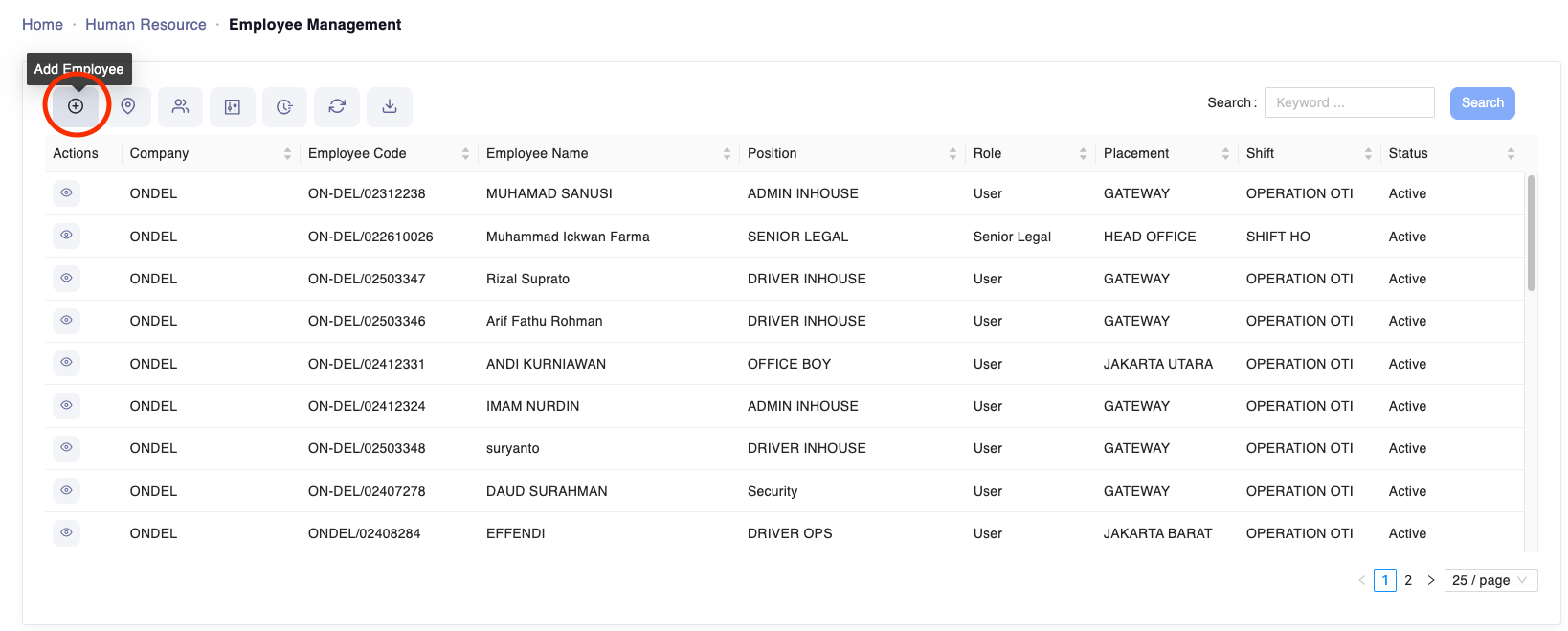
- Klik tombol ikon Add Employee yang berada di posisi pertama pojok kiri atas
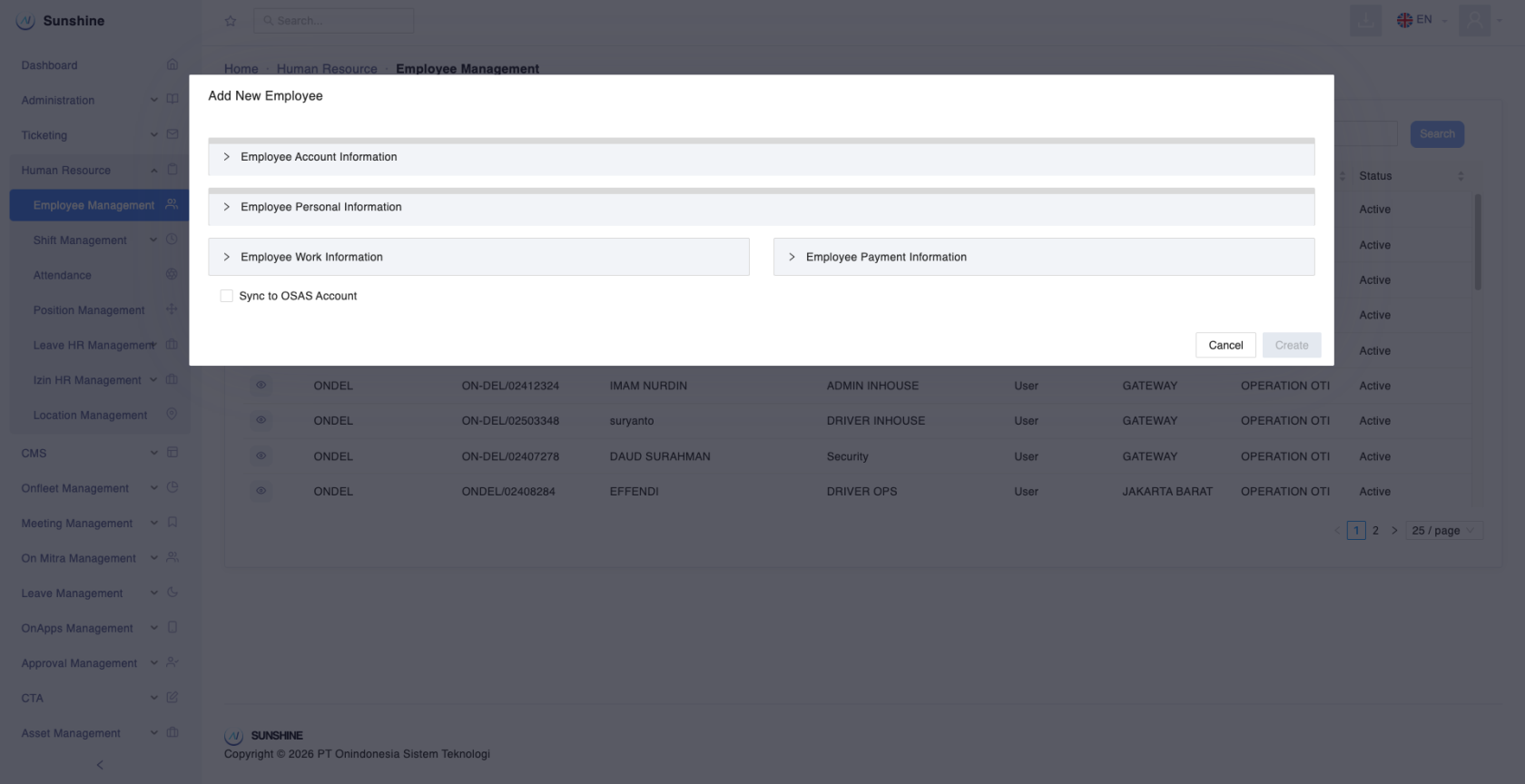
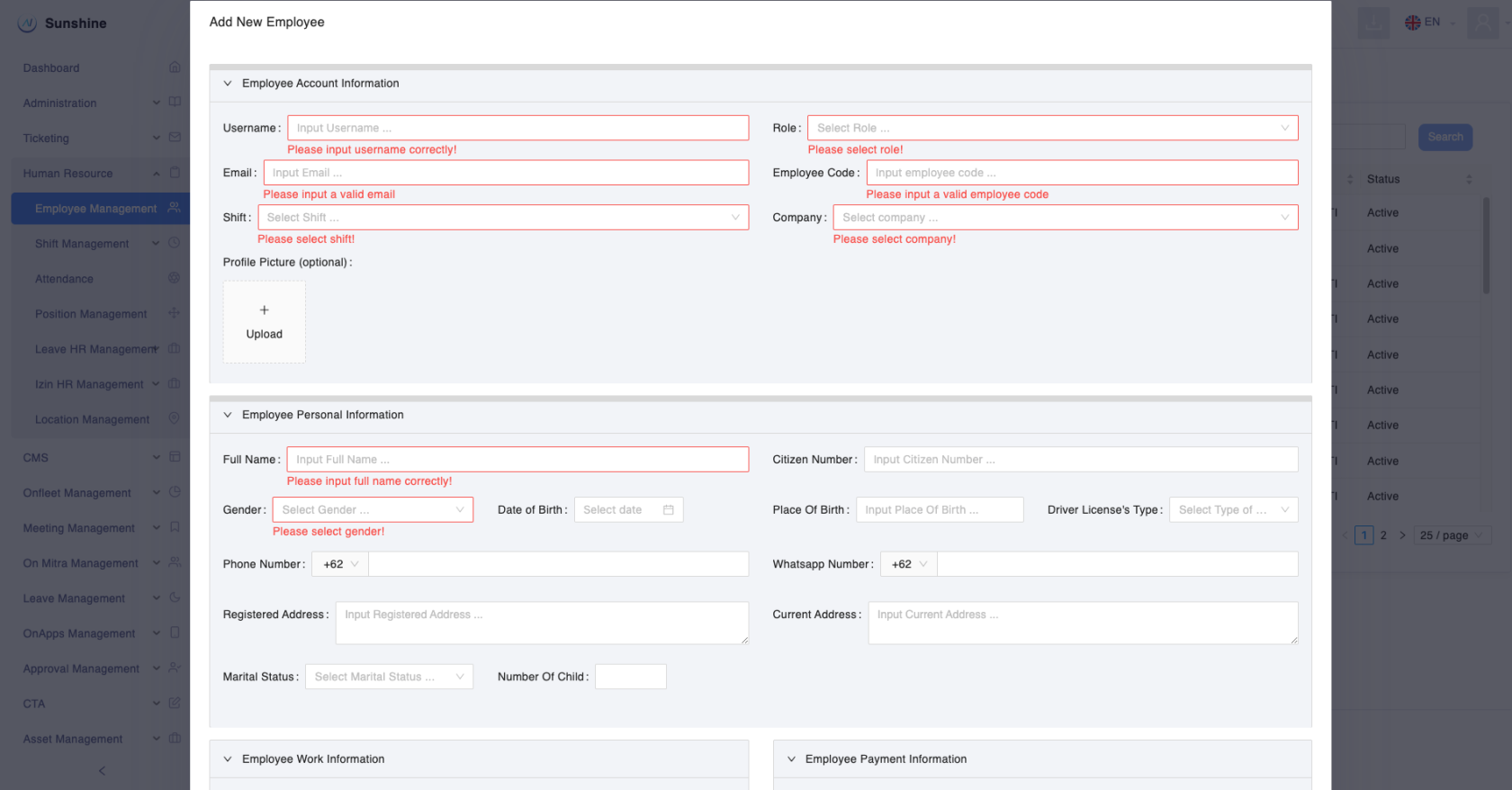
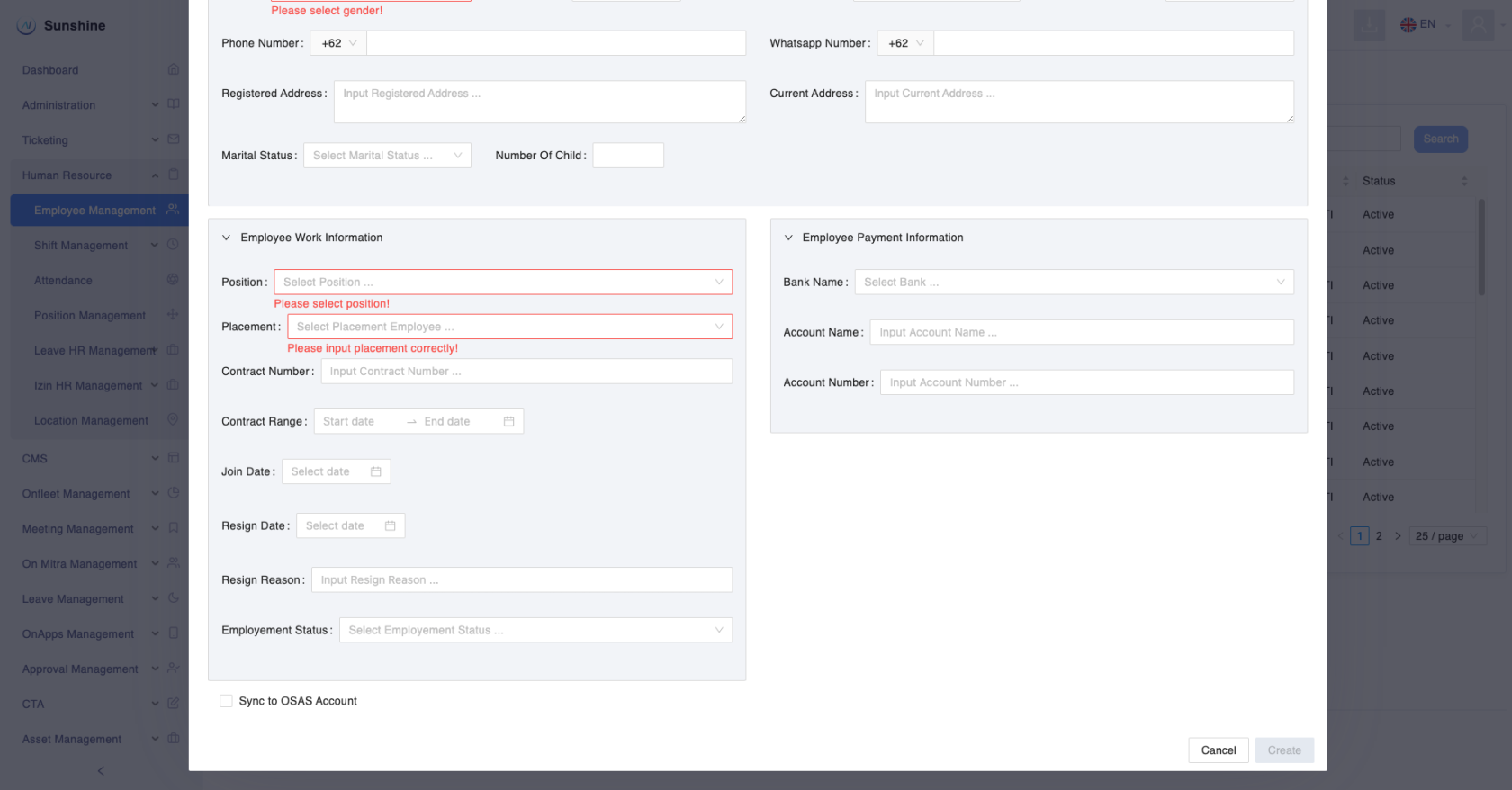
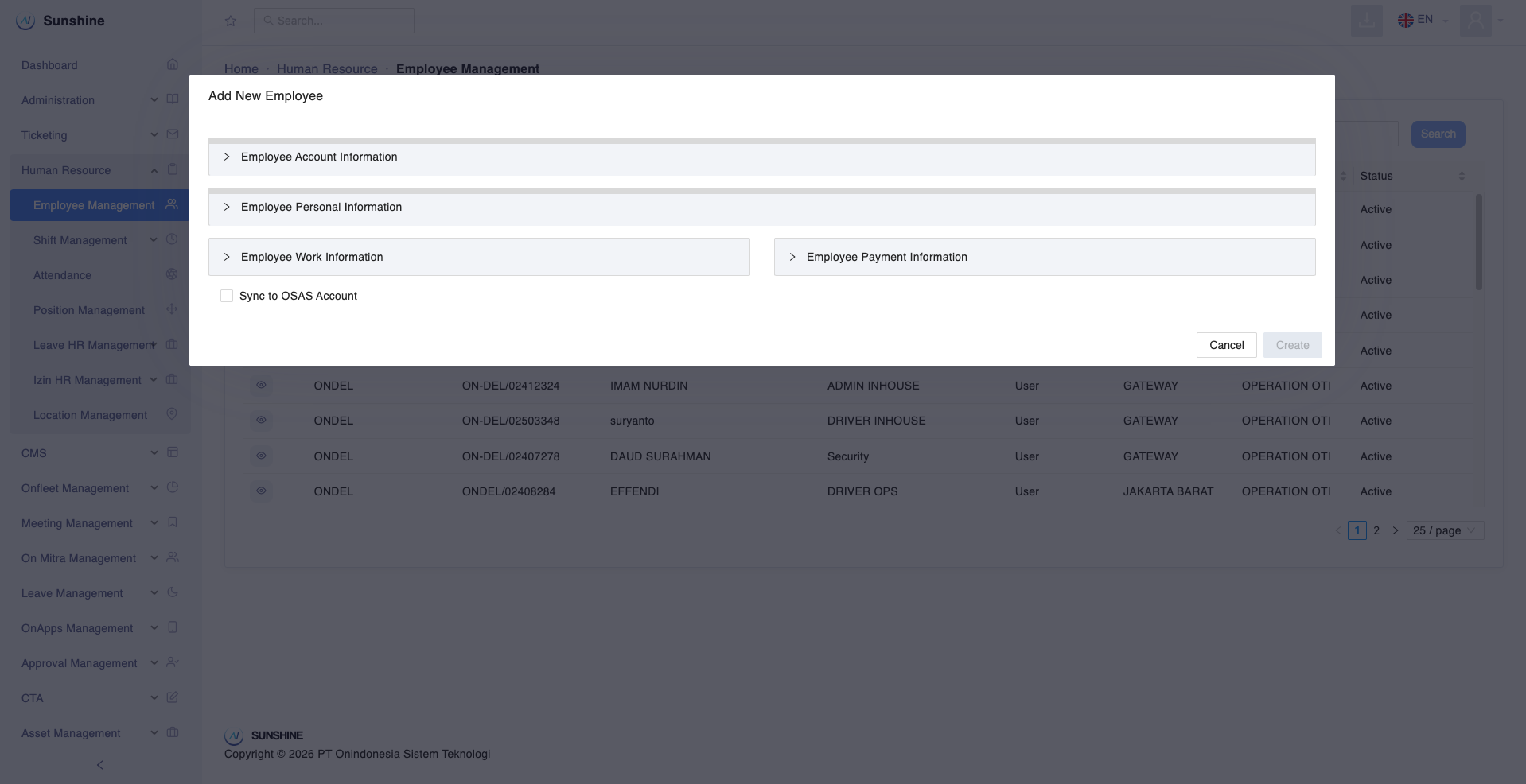
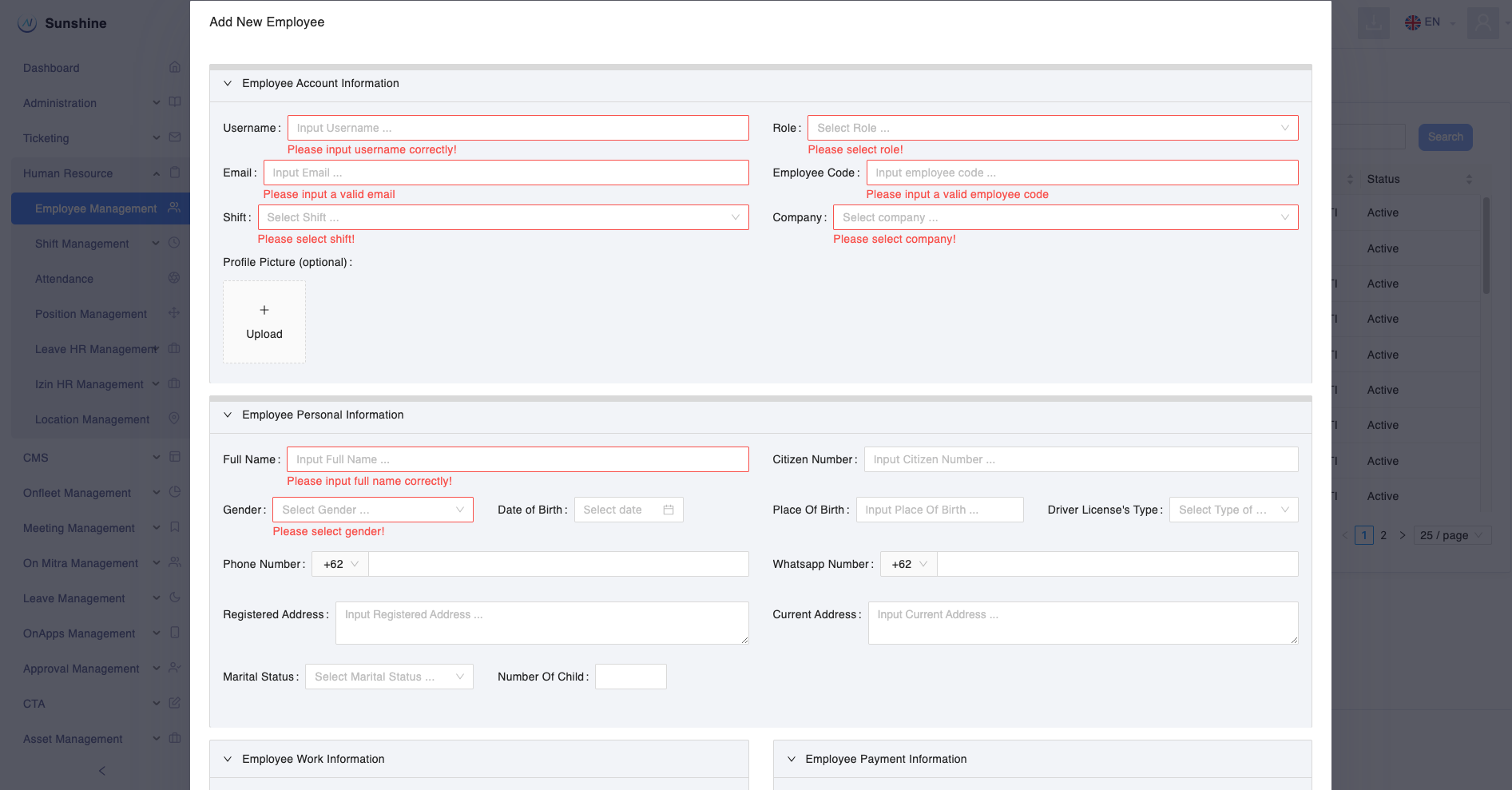
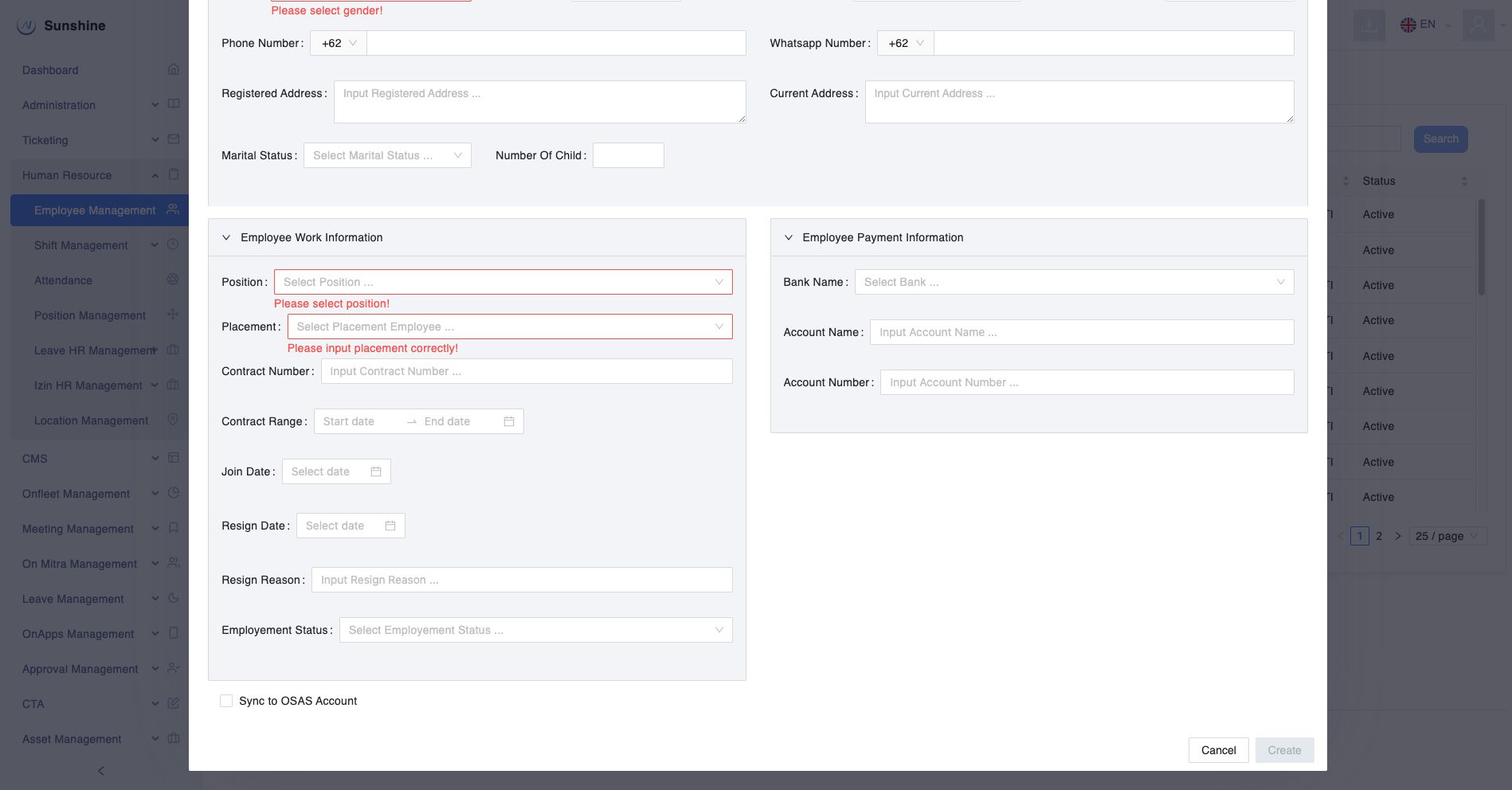
- Isi form yang diperlukan untuk membuat akun sunshine:
- Employee Account Information
- Username
- Role
- Employee Code
- Shift
- Company
- Employee Personal Information
- Full name
- Gender
- Employee Work Information
- Position (Posisi jabatan)
- Placement (tempat kerja)
- Employee Account Information
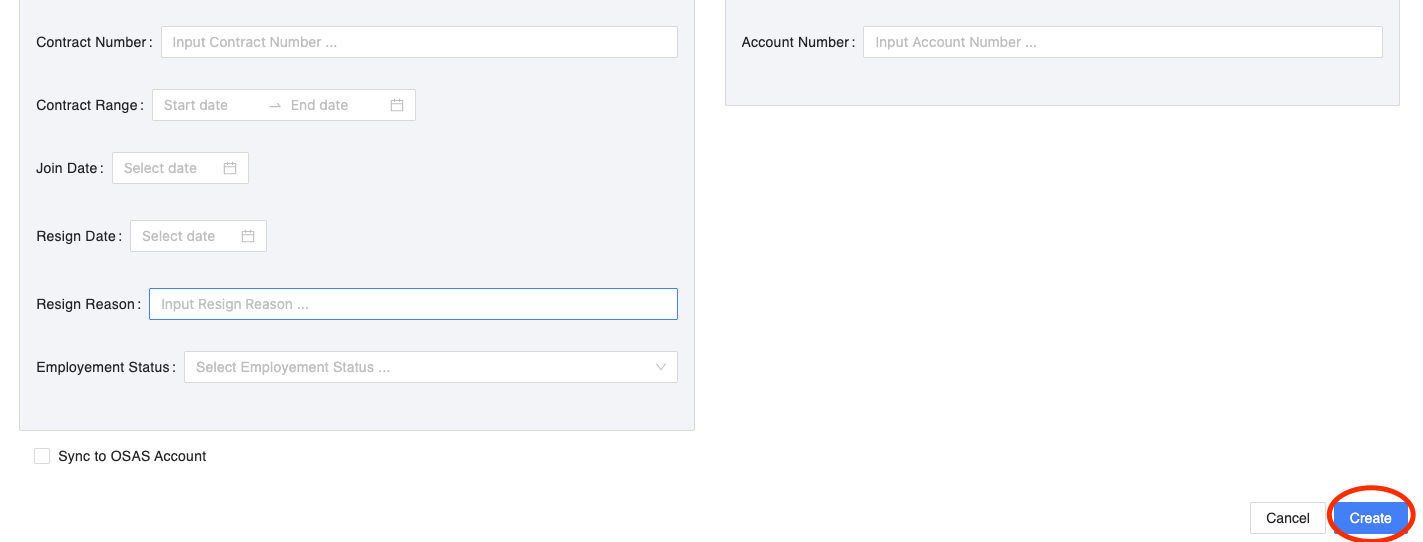
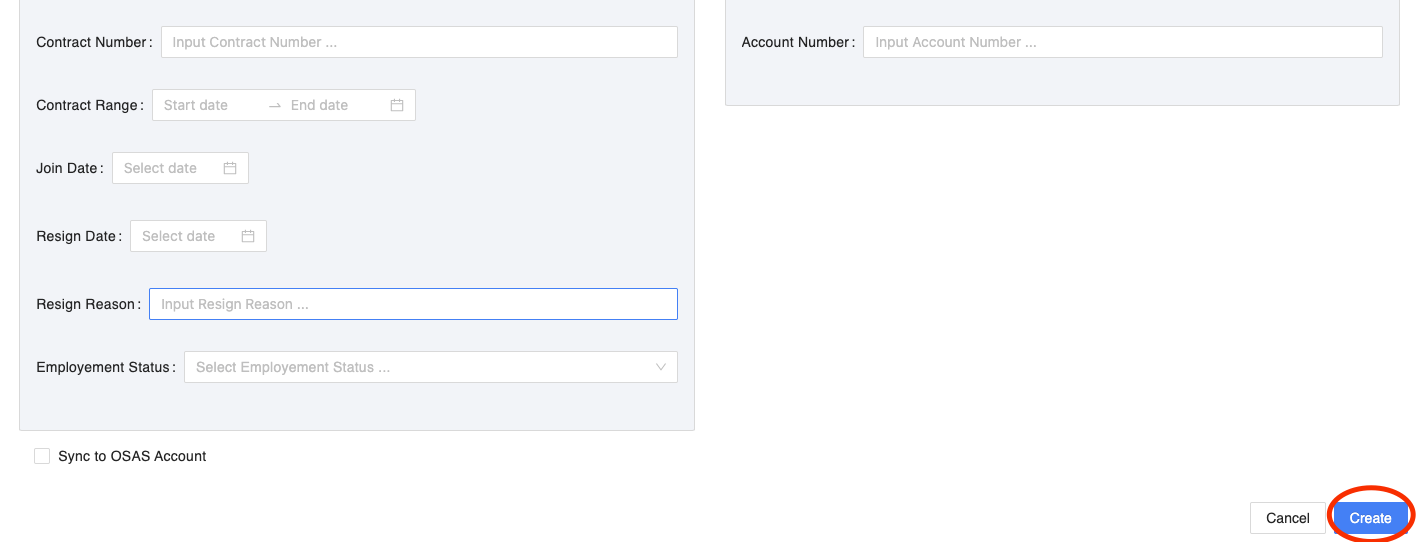
- Jika sudah yakin, silahkan klik Create